Navigation page generator
Turn a collection into front-end code you can deploy yourself; four style presets are available.
RdBox is published on the Chrome Web Store and Microsoft Edge Add-ons. Found a good article or a site you visit often? One click saves it. Data stays in your browser by default — no registration, no sign-in.

The current store version adds navigation page generation, link checks and data import / export.
Turn a collection into front-end code you can deploy yourself; four style presets are available.
Find broken links and clean them up in one go, keeping your library tidy and usable.
Back up and restore your local data, so a new device or a fresh browser install moves across quickly.
From quick saves to serious organisation — all handled inside your browser.
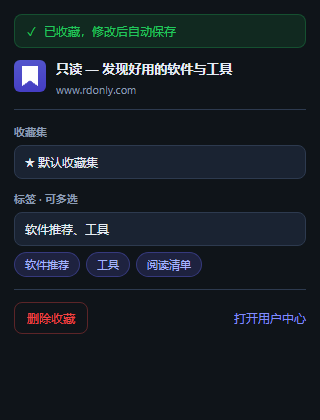
Via the toolbar button, the Ctrl+Shift+S shortcut (Command+Shift+S on Mac), or right-click → "Save this page to RdBox".
Sub-collections and a default collection (★) let you organise and browse by project or topic.
A tree-shaped tag system with multi-select when saving, so you can find material by tag fast.
Optional: configure your own AI API and it suggests tags you accept manually. Off by default; the key is stored locally only.
Password-protect a collection; viewing requires the password and it locks again when the browser closes.
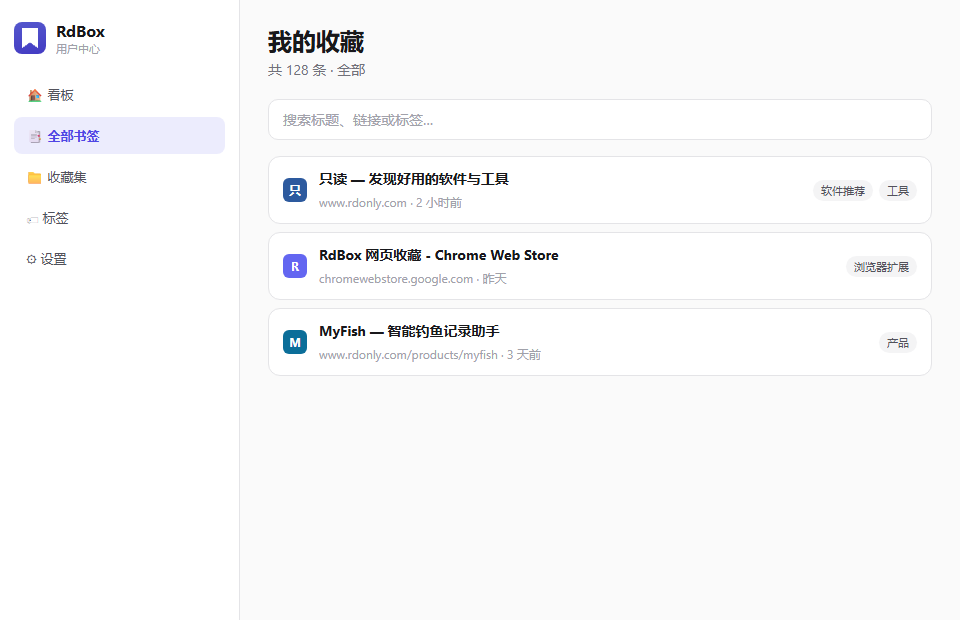
Bookmark list, search, editing (name / URL / collection / tags) and stats, with light and dark themes.
The save popup and the dashboard — simple and clear.